
Download TikTok Story Without Watermark
Save public TikTok Stories directly from your browser without installing an app. Paste a TikTok Story link into DownloadTrend to preview available videos or photos and download supported content in high quality on your phone, tablet, or computer.
How to Download a TikTok Story
Downloading a TikTok Story is quick and easy with DownloadTrend. Follow these six simple steps from any device.
Find a TikTok Story or Profile
Open the TikTok app or website and navigate to the public TikTok Story or creator profile you want to save.
Copy the TikTok Link
Tap the Share button on the Story or profile page and select Copy Link to store the URL on your clipboard.
Paste into DownloadTrend
Return to our TikTok Story Downloader and paste the copied URL into the input field at the top of the page.
Wait for Available Content
Click Download. Our system automatically processes the link and retrieves currently available public Story media.
Select the Story
Browse the returned Story cards to preview video clips, thumbnails, or extracted audio options.
Choose MP4 or MP3 and Download
Click your preferred HD MP4 video or MP3 audio download button to save the media file directly to your device.
Download TikTok Story Videos and Photos
Save publicly available TikTok Stories, videos, photos, and slideshow posts with DownloadTrend. Our online TikTok Story Downloader lets you process supported TikTok links directly from your browser without installing extra software.
TikTok Stories are short-form temporary clips shared by creators. Whether you want to save a tutorial, announcement, recipe, or memorable Story before it disappears, DownloadTrend makes media retrieval fast, simple, and watermark-free.
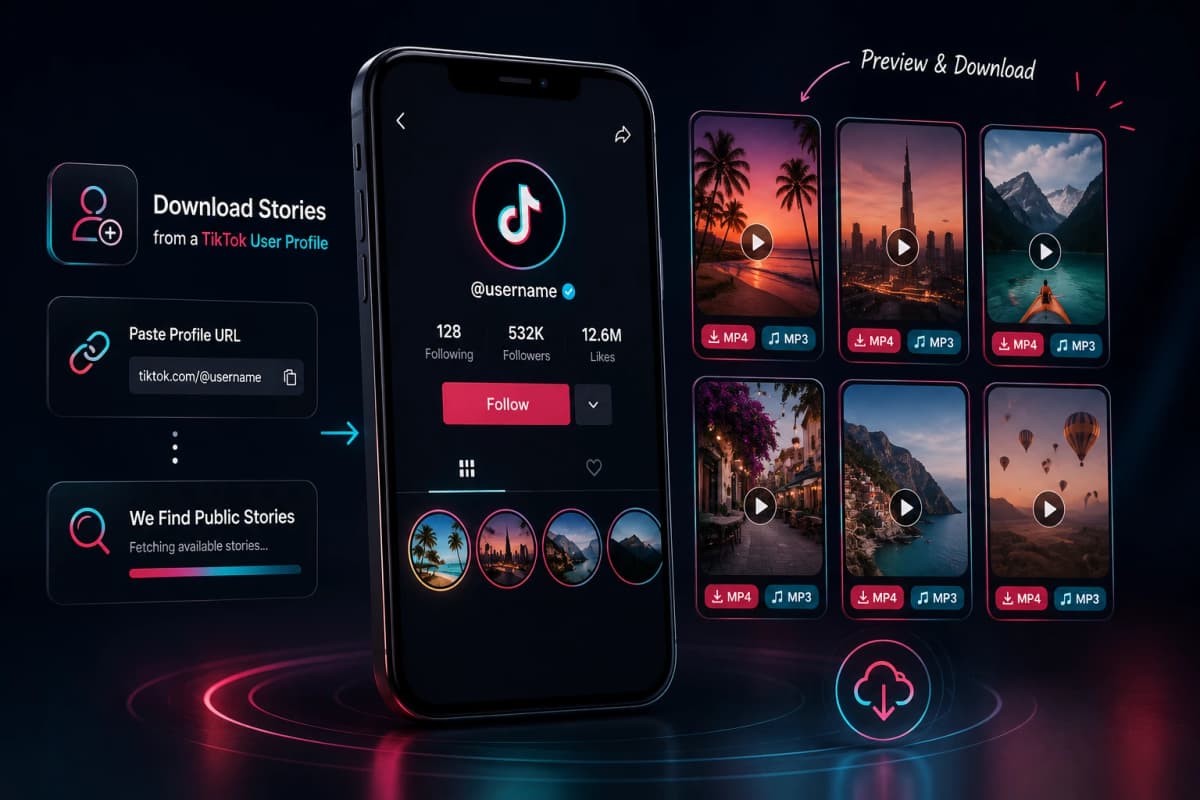
Download Stories from a TikTok User Profile
Looking for multiple Stories from your favorite creator? Simply copy the creator's public TikTok profile URL (e.g. tiktok.com/@username) or paste their username.
Our system checks for currently available public Stories and displays them in a clean grid, allowing you to preview each clip and select individual MP4 or MP3 download options.
Download TikTok Story Videos
Save available TikTok Story videos as high-quality MP4 files for convenient offline viewing. DownloadTrend lets you process supported public Stories and save the available video directly to your phone, tablet, or computer.
Download TikTok Story Audio as MP3
Want to keep the sound from a TikTok Story? When audio extraction is available, DownloadTrend can provide the available audio as an MP3 file so you can save the sound separately from the video.
TikTok Story Downloader on Mobile and Desktop
DownloadTrend works seamlessly across all operating systems and browsers without needing additional browser extensions or software downloads.
Android
Copy a TikTok Story or profile link, open our downloader in Chrome or your mobile browser, and save HD video files directly to your downloads folder.
iPhone & iPad
Copy the link in the TikTok app, open Safari, paste the URL into DownloadTrend, and download MP4 or MP3 files straight to your device.
Tablet
Compatible with iPadOS and Android tablets through any modern browser without extra software or extensions.
Use TikTok Content Responsibly
Only download and reuse TikTok content when you have the necessary rights or creator permission. Respect creators' copyright, privacy, and intellectual property rights.
DownloadTrend is an independent service and is not affiliated with, sponsored by, or officially endorsed by TikTok, ByteDance, or Douyin.
Frequently Asked Questions
Find quick answers to common questions about downloading TikTok Stories with DownloadTrend.